Speak, and it's captured
Talk to the mic and it becomes text, recognized on device. Between meetings, on the move, right after hanging up — a few seconds, no keyboard. Also launches from Siri, Shortcuts, and the Action button.
 JotDeck
The request someone made in passing. The gist of a phone call. The to-do that just occurred to you. Say it, and it lands as text (on-device recognition, fully offline). Set a deadline and a notification reminds you; categories and status keep work from slipping.
Say it → it's categorized → the deadline reminds you → you track it to done.
Talk to the mic and it becomes text, recognized on device. Between meetings, on the move, right after hanging up — a few seconds, no keyboard. Also launches from Siri, Shortcuts, and the Action button.
Give a memo a due date and it notifies you once, at the time you choose. "I'll do it later" stops meaning "never." All local notifications on device — no remote push, nothing sent out.
An error screen, a whiteboard — snap it and attach it (up to five per memo). No need to type out what you can simply show. Photos stay on your device and are excluded from iCloud sync and exports.
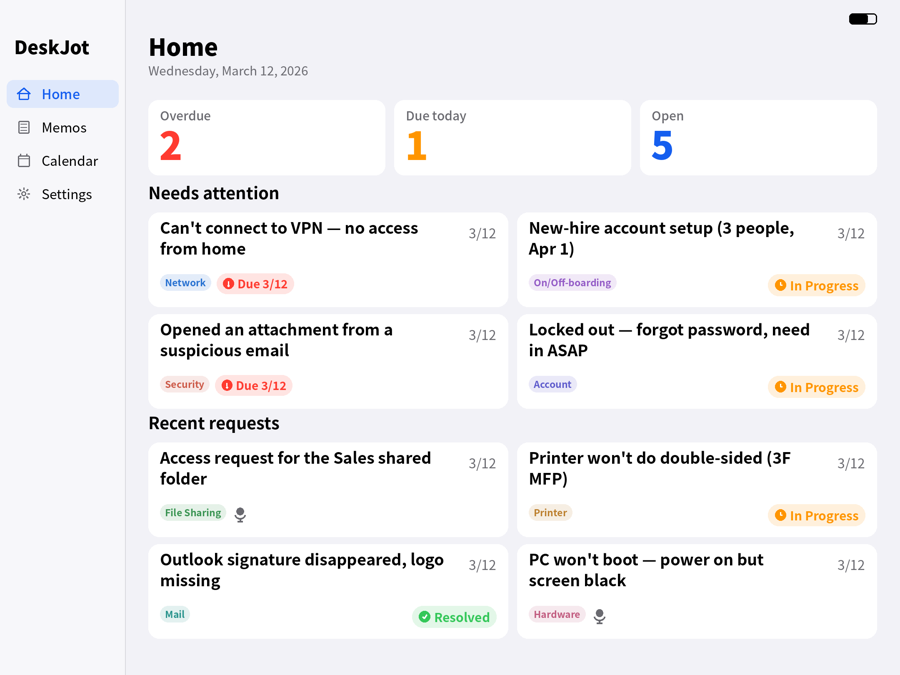
Open, In progress, Resolved — one tap, or a swipe. The home dashboard shows overdue, due today, and open counts at a glance, and each card jumps straight into the list or calendar.
Content is color-coded automatically, so the list and calendar read at a glance. When there isn't enough signal it stays uncategorized rather than guessing — and you can always override by hand.
Deadlines appear as category-colored dots, with overdue in red. Tap a date to see that day's memos and know exactly what the week is holding.
Export every memo as CSV or Markdown, free plan included — useful for handovers, reports, and weekly reviews. Files are generated on device and handed to the destination you choose in the share sheet.
No analytics, no ads, no tracking. Memos stay on your device and audio is never stored or uploaded. Premium iCloud sync uses Apple's iCloud only — there is no server of ours to send anything to.
Capture → categorize → deadline → progress, in one continuous flow. Light and dark.
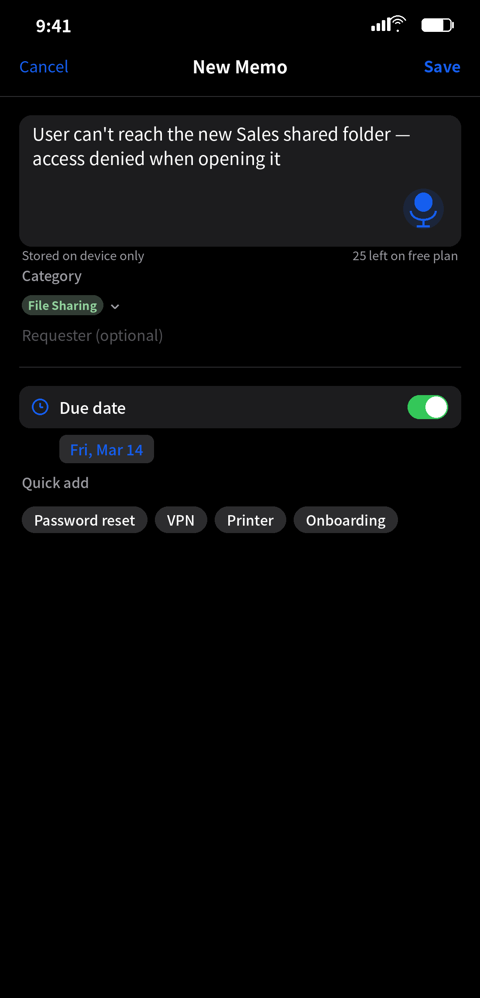
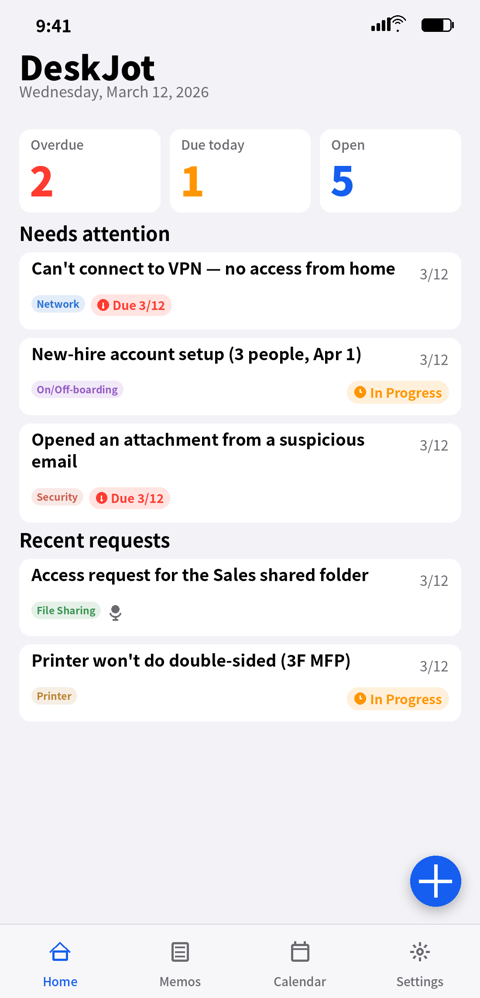
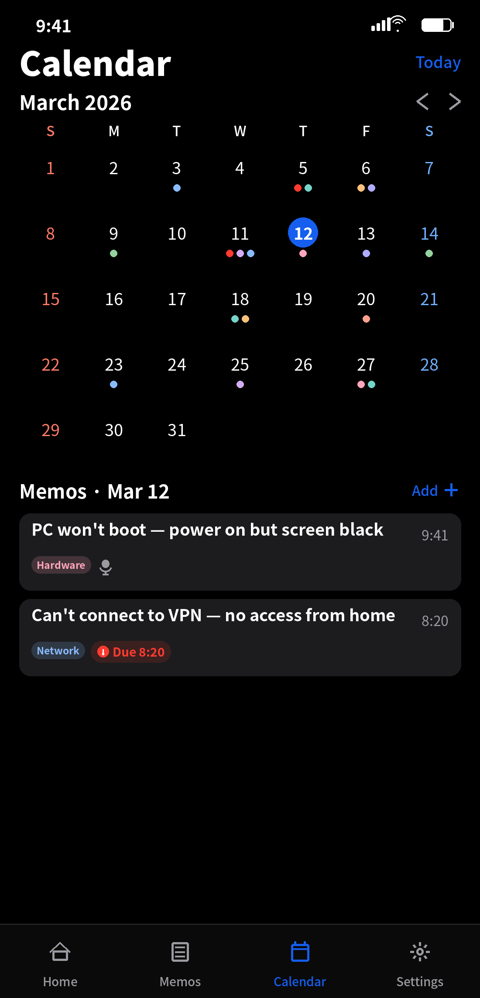
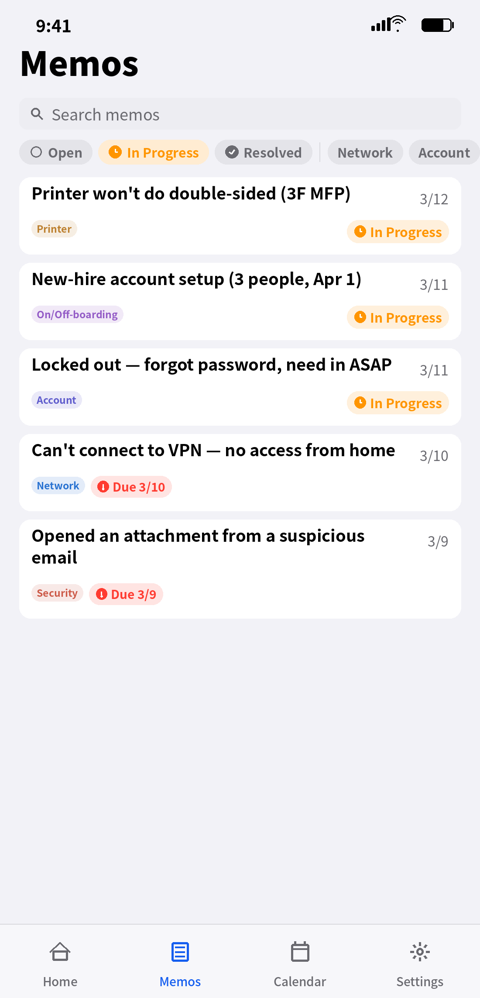
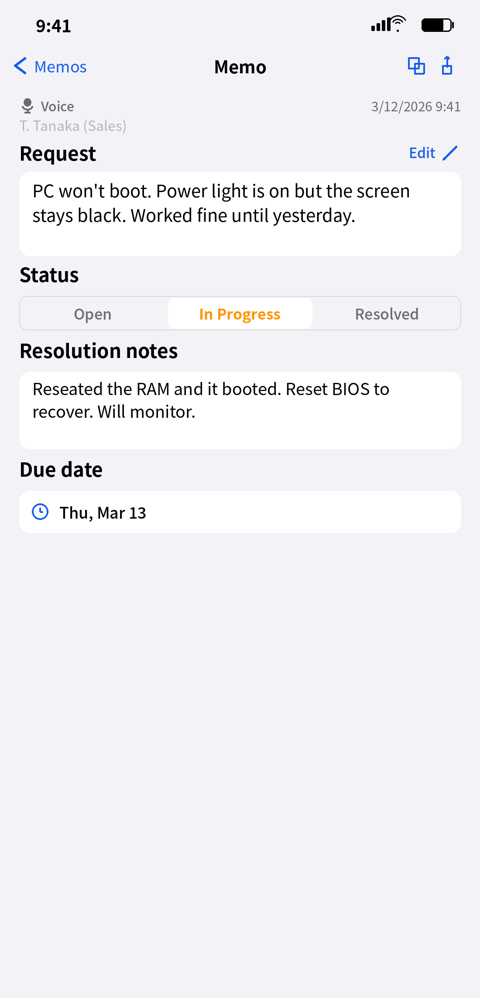
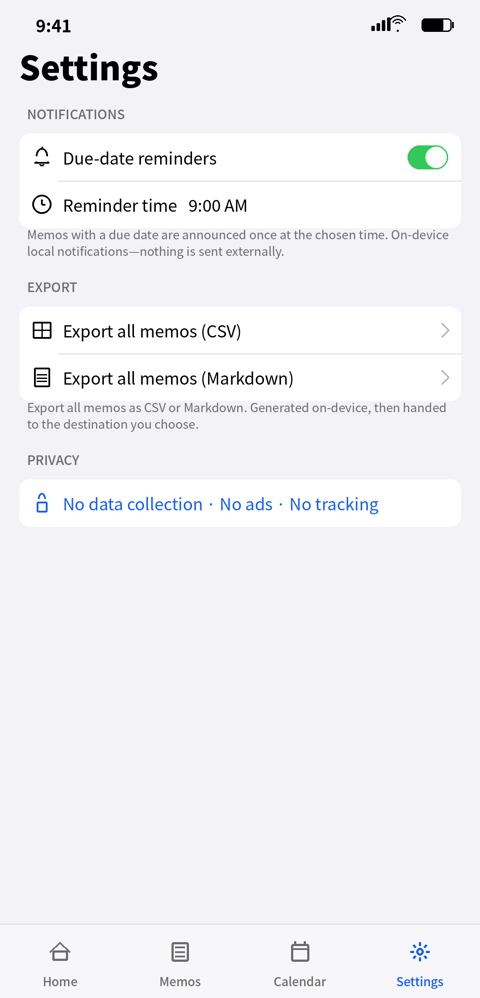
Optimized for a sidebar and split view. On iPhone Duo, the layout switches as soon as you open the inner display.
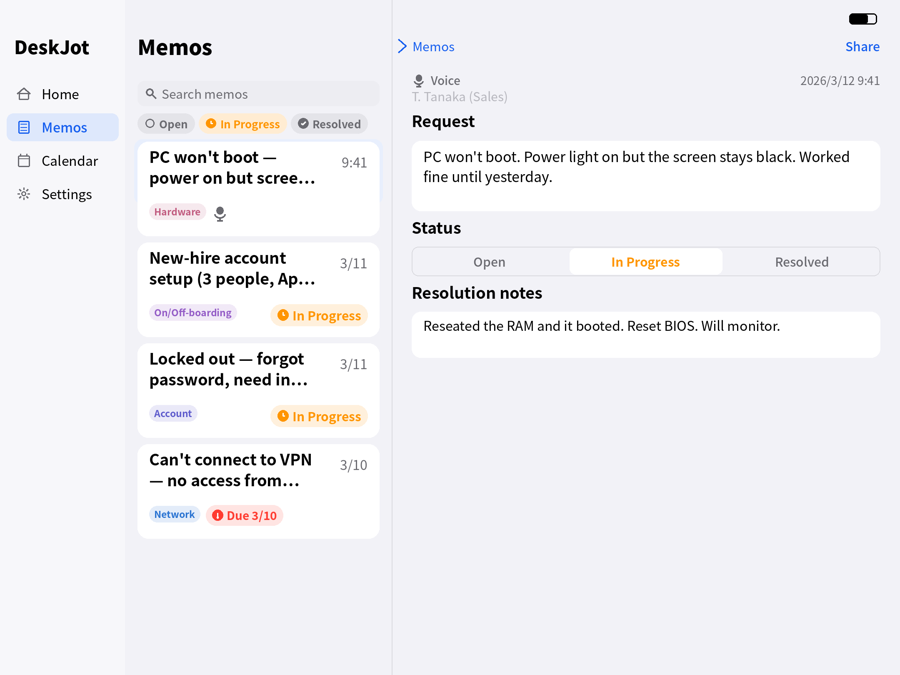
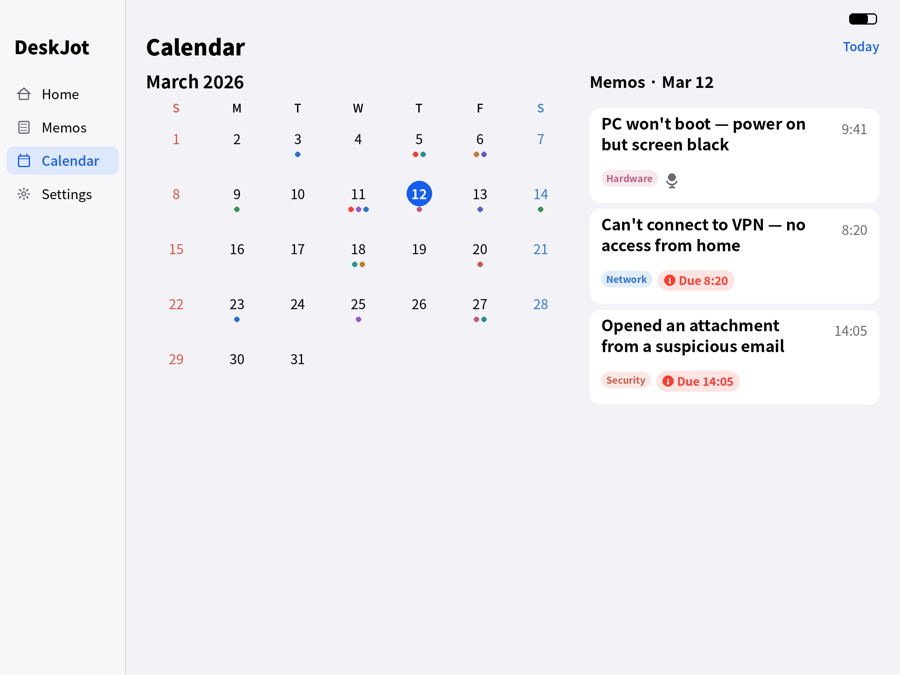
Three steps so nothing anyone asked you slips away.
Speak into the mic, or type it. Attach a photo if that says it faster.
Add a due date and get a notification at the time you choose. Categories color themselves in.
Open → In progress → Resolved. Home and the calendar make sure nothing quietly disappears.
"Got a second?" The phone rings. Someone catches you in the hallway. The next thing arrives before you've written down the last one — that's the situation this was made for.
As you capture a request, JotDeck pulls handling hints from a knowledge base bundled inside the app: triage steps, what to check, and command examples for Windows and Mac. The eight auto categories are shaped around real helpdesk work.
Hints are reference information. Act on your own judgment, and where possible verify in a test environment and keep backups.
Try it properly for free; unlock everything once.
The free plan already includes voice capture, deadline reminders, photo attachments, hints, categories, status, calendar, and export.
JotDeck turns what you say into text on the spot. It does not record or store audio files, and it isn't built for long meeting transcription. Recognition happens on your device and audio is never saved. It's designed for capturing short requests and tasks without a keyboard.
Yes. Voice capture, deadline reminders, status tracking, the calendar, photo attachments, and export work for any kind of work. The eight auto categories are IT-oriented, so anything that doesn't fit simply stays uncategorized — and you can override a category by hand.
Yes. Up to five per memo, picked from your library or taken on the spot — handy for error screens and whiteboards. Photos stay on your device and are excluded from iCloud sync and from CSV/Markdown exports (the export records the count only). Deleting a memo also deletes its photos.
Yes. With the inner display open, the layout switches to the wider arrangement, and it follows along as you fold and unfold.
Yes. Capture, categorization, and handling hints all run on device. No connection is required.
No. Premium is a one-time purchase. There are no monthly or yearly plans.
Up to 30 memos, with voice capture, deadline reminders, status tracking, color-coded categories, resolution notes, photo attachments, the calendar, and CSV/Markdown export. Premium unlocks unlimited memos and iCloud sync.
Yes. A memo with a due date notifies you once, at the time you choose. Everything is a local notification on device — no remote push, nothing sent out. You can change the time or turn notifications off in Settings.
Yes. Export all memos as CSV or Markdown, available on the free plan too. Files are generated on device and handed to the destination you pick in the share sheet (Files, iCloud Drive, another app). The app never sends anything on its own.
No. There's no analytics, advertising, or tracking. Memos stay on your device, and Premium iCloud sync stays inside your own iCloud. The developer has no access.
From a knowledge base bundled inside the app (75 triage flows, 882 commands, 97 topics), matched with rule-based text generation. Nothing is sent externally.
iPhone and iPad running iOS 18 or later, including iPhone Duo.
They're reference information. Act on your own judgment and responsibility, and where possible verify in a test environment and keep backups.
Bug reports and feature requests are always welcome.
Or email us: [email protected]
A one-person iOS software workshop, tucked away in the woods.