
Subnet calculator & IP planner for iPhone and iPad

SubnetDeck app icon
SubnetDeckby Okojyo-Soft

Subnet math to IP plans, even with no signal.

Open it and start calculating. Site-by-site design plans, 69 IP addressing playbooks and lessons on why the numbers work out, all in one app. SubnetDeck never connects to the internet, so it works in server rooms and factories with no signal.

Free to start · Premium is a one-time purchase · iPhone / iPad · 9 languages

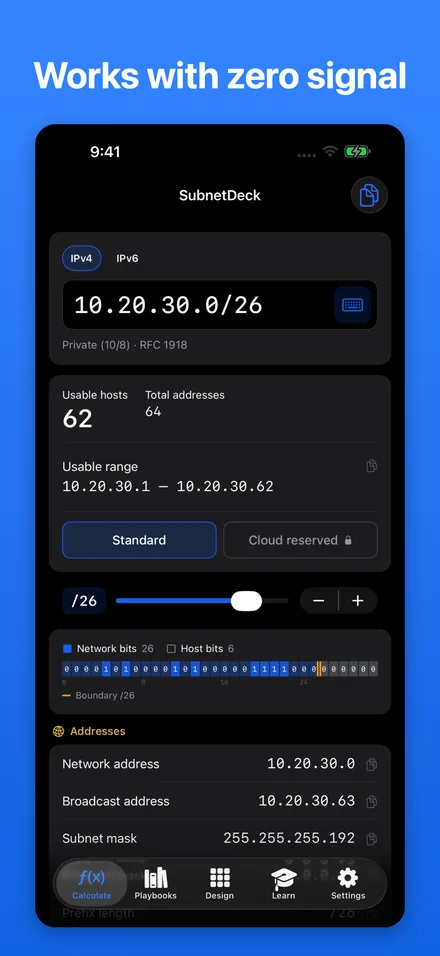
SubnetDeck calculator showing 10.20.30.0/26 with 62 usable hosts and the range 10.20.30.1 to 10.20.30.62
Never goes online IPv4 / IPv6
  • 69playbooks
  • 11Learn topics
  • IPv4 / IPv6
  • Fully offline
  • No ads
  • 9 languages
Made for

The moments when you need subnet math now.

  • NEW SE

    New to networking

    Check masks and host counts on the spot, then read why they work in the Learn topics.

  • OFFLINE

    Sites with no signal

    Server rooms, factories, isolated test labs. The app never goes online, so it always works.

  • MULTI-SITE

    Planning many sites

    Keep a design plan per site or customer in folders, and look up any address on the go.

  • REVIEW

    Reviewing a design

    Check overlaps, aggregation and equal splits, and compare with the reasoning and pitfalls in the playbooks.

Features

From subnet math to IP plans, in four tabs.

Calculate, Design, Playbooks and Learn. Whichever tab you open, the answer is a tap away.

Calculate · Free

Answers as you type.

The input field is ready the moment the app opens. Type an address and prefix length to see usable hosts and the range first, followed by the network address, broadcast address and subnet mask.

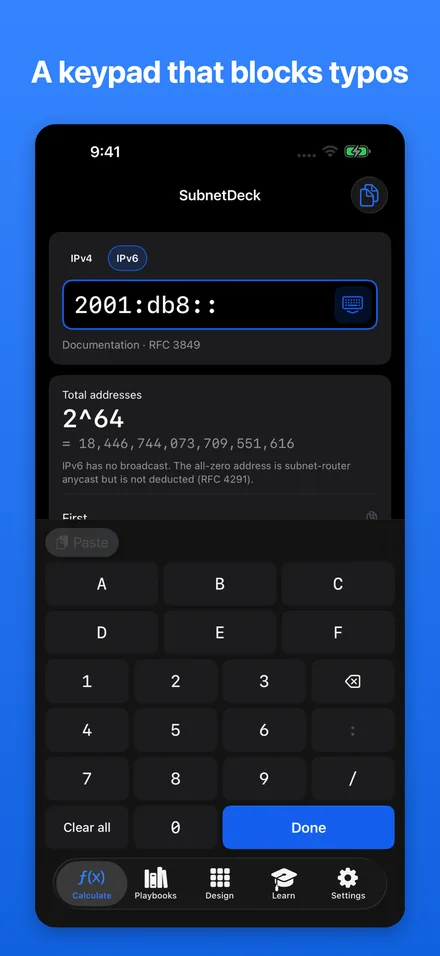
  • IPv4 and IPv6 subnet calculation, with a hex keypad for IPv6
  • Keys for invalid input are disabled, and dots are added for you
  • Special-purpose addresses such as private and documentation ranges are identified using the IANA registries
  • /31 counts as 2 hosts (RFC 3021) and /32 as 1
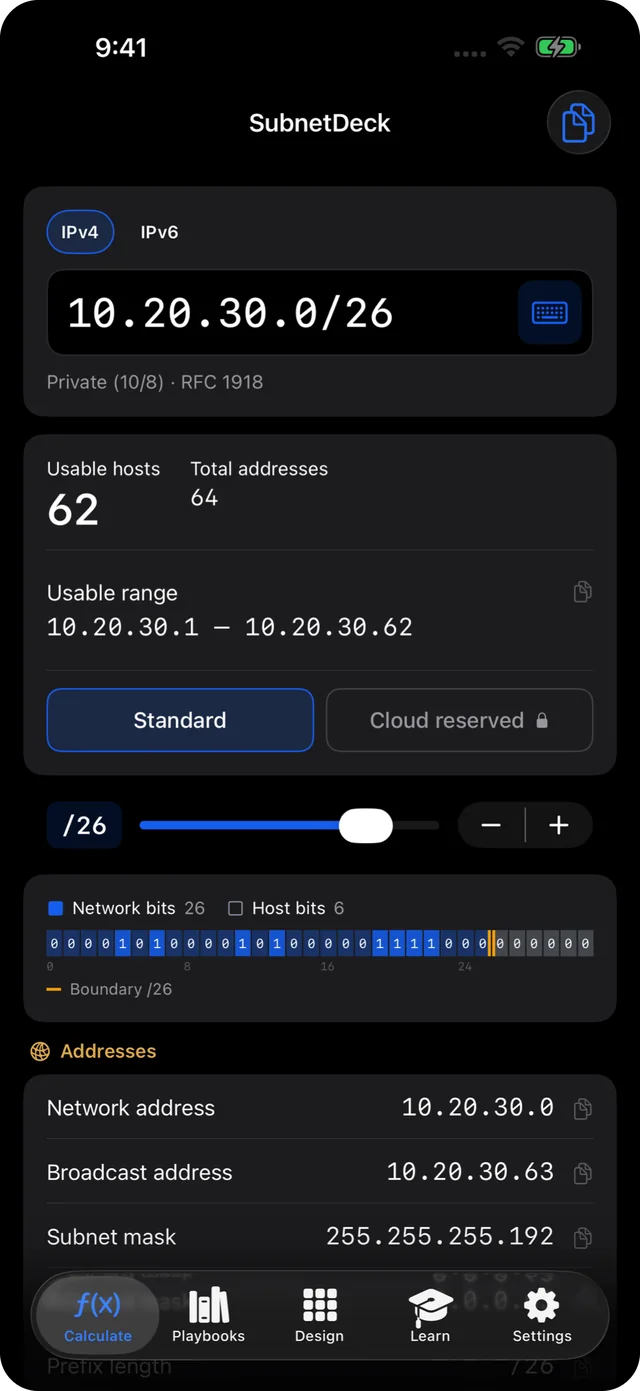
IPv4 subnet calculation for 10.20.30.0/26
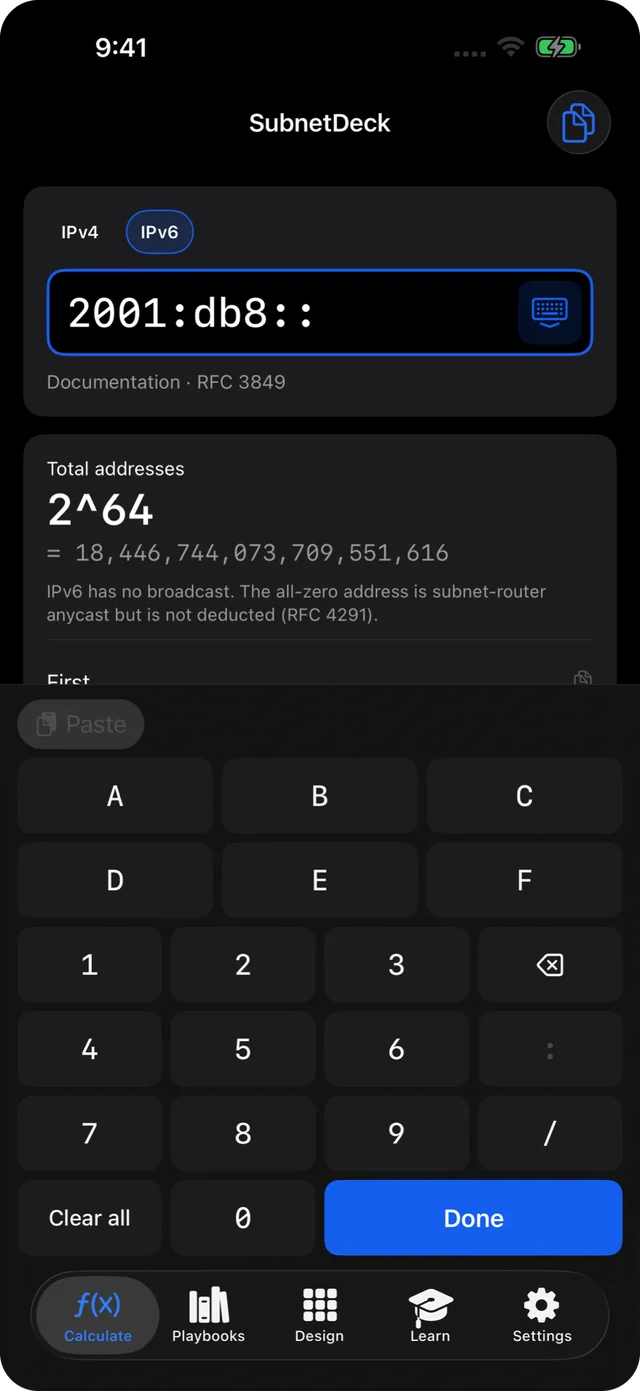
IPv6 subnet calculation, entering 2001:db8::/64 on the hex keypad
Design · Premium

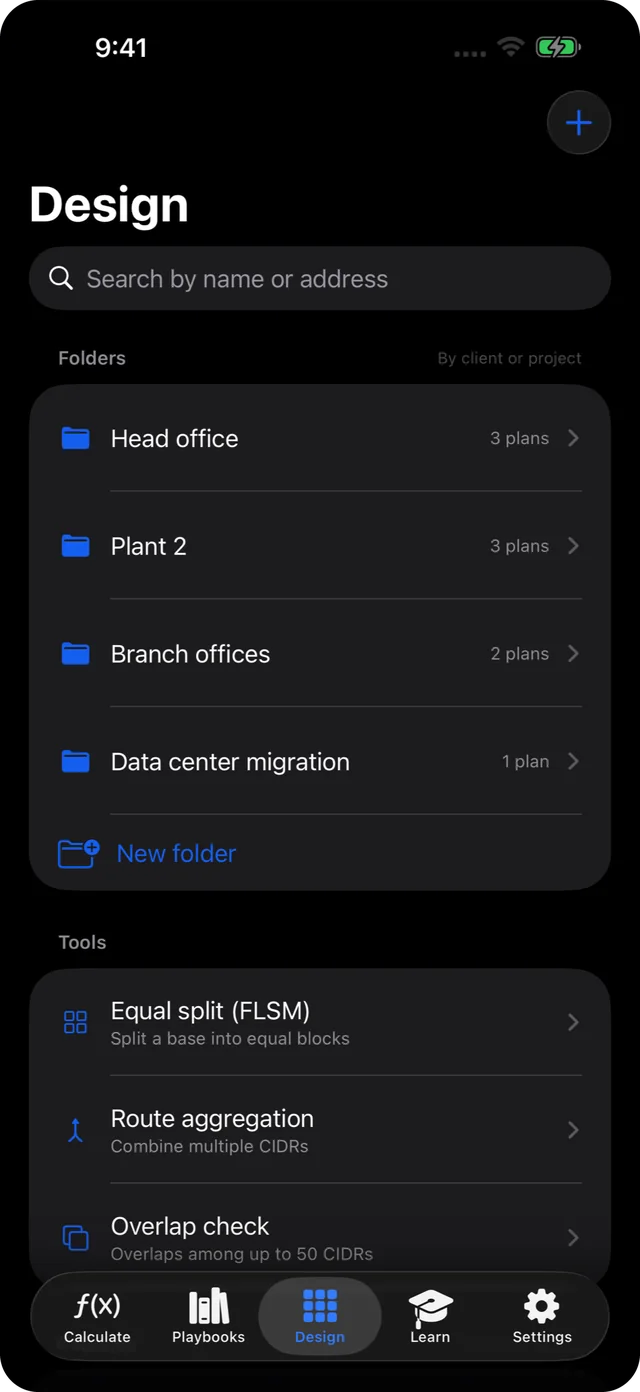
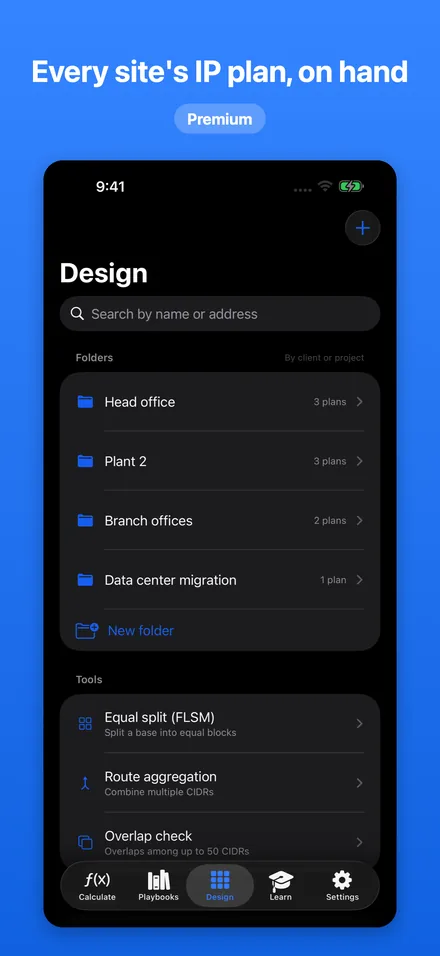
Every site's IP plan, in folders.

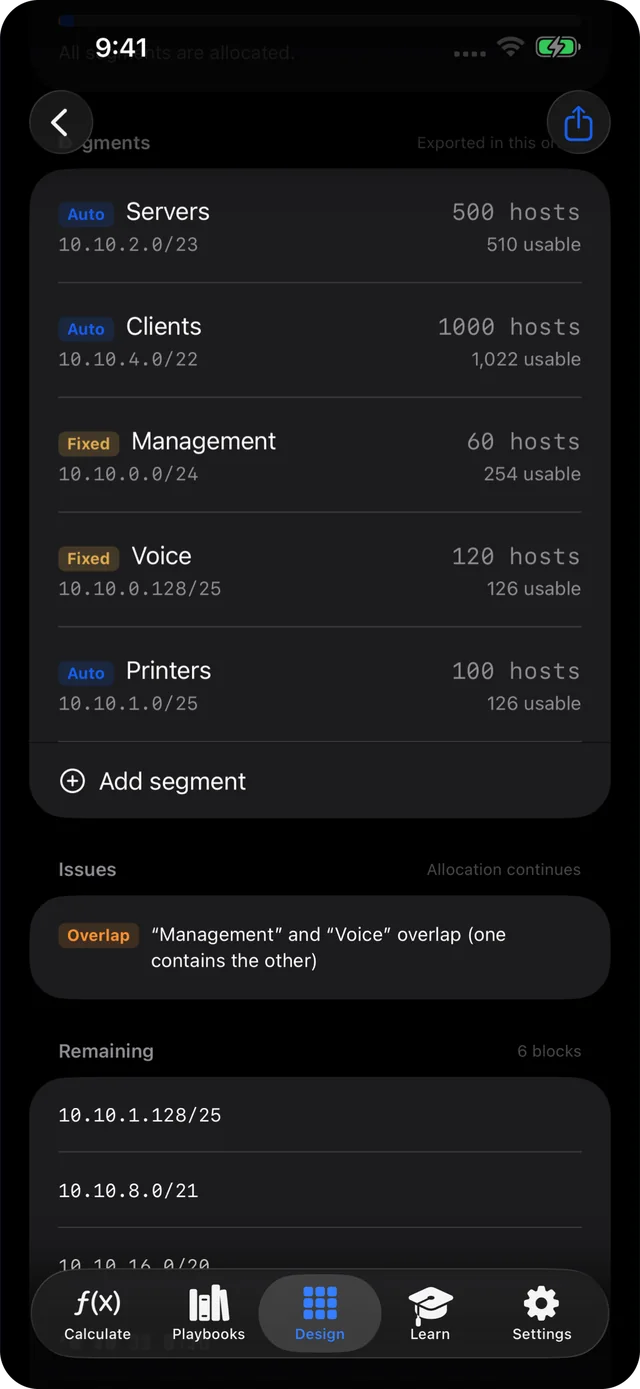
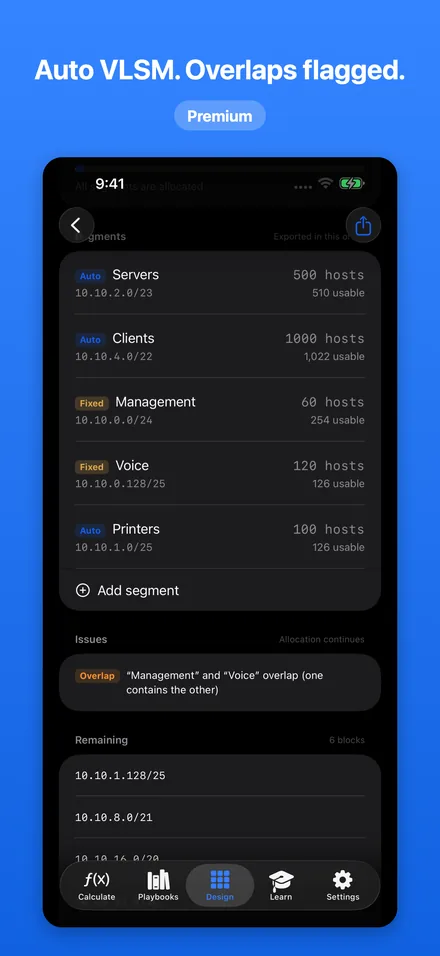
Save a design plan for each site in folders by customer or project. Enter the host counts you need and VLSM allocates the blocks for you, flagging any overlap.

  • Mix fixed segments and automatic allocation in one plan
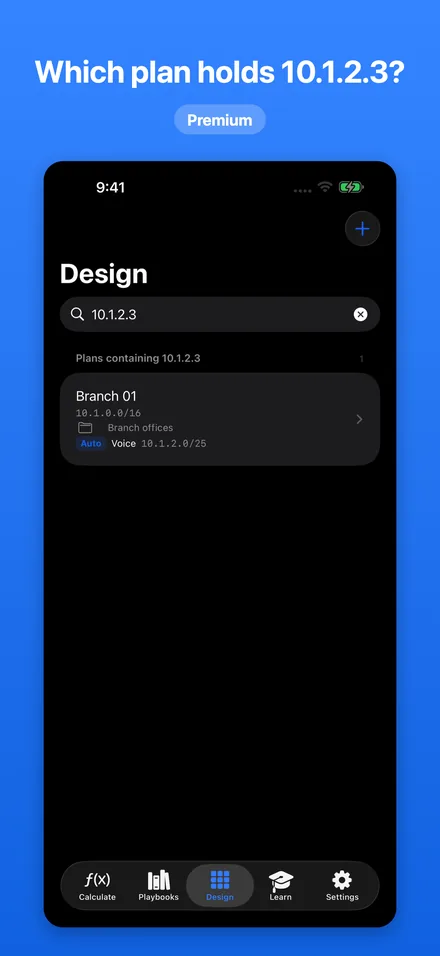
  • Search by address: which plan holds 10.1.2.3?
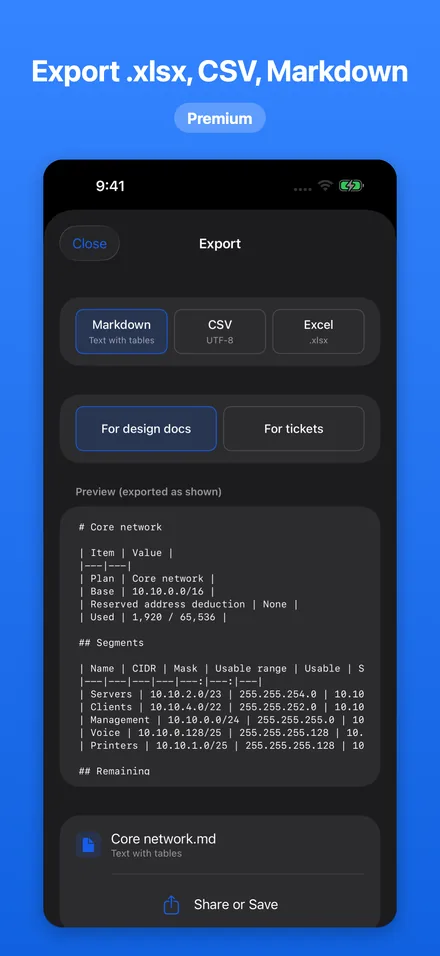
  • Export to .xlsx, CSV or Markdown, as a design document or a ticket
  • Sample plans can be opened and read for free
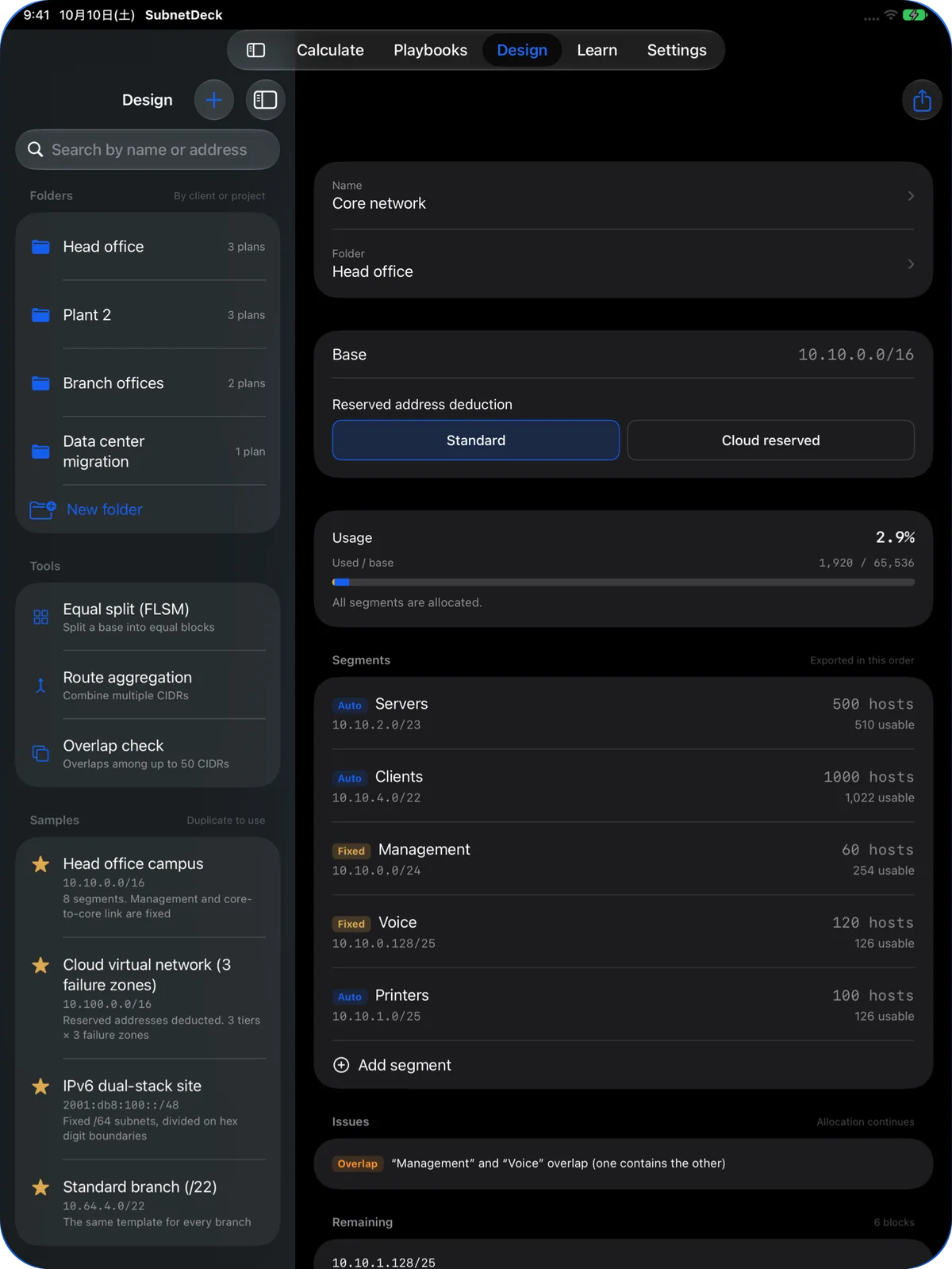
Design tab with a folder for each site
Automatic VLSM allocation for server, client, management, voice and printer segments
Playbooks · 13 free

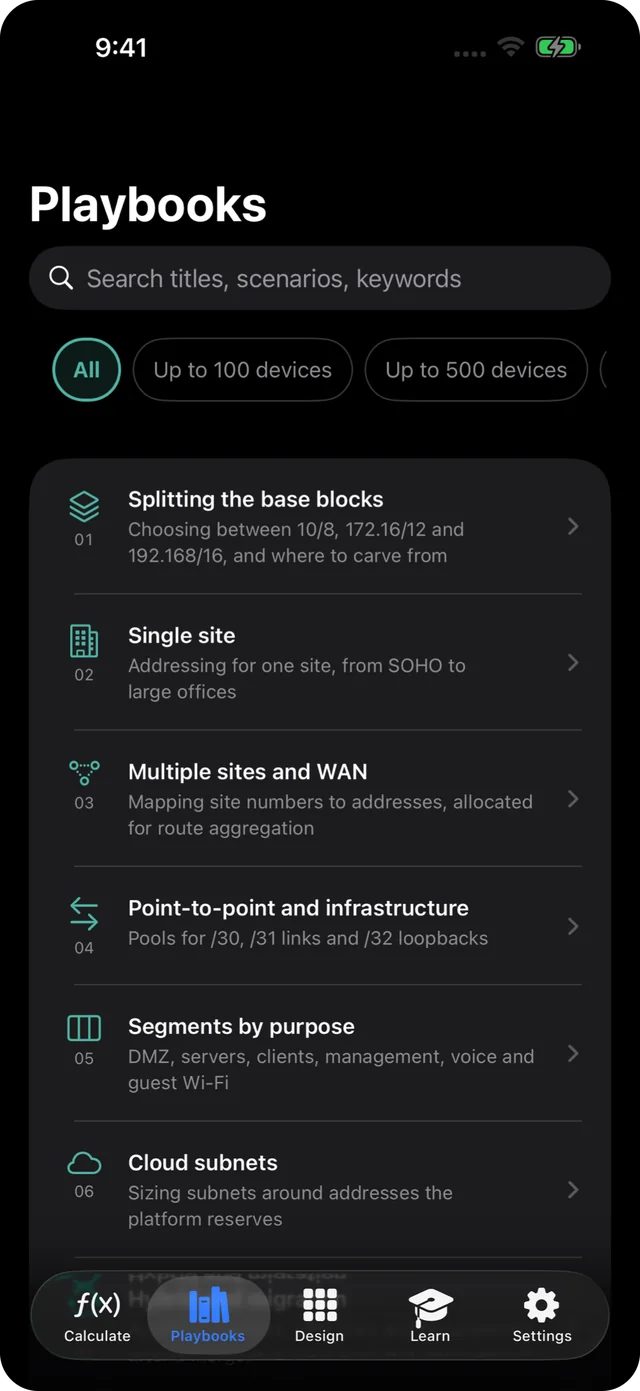
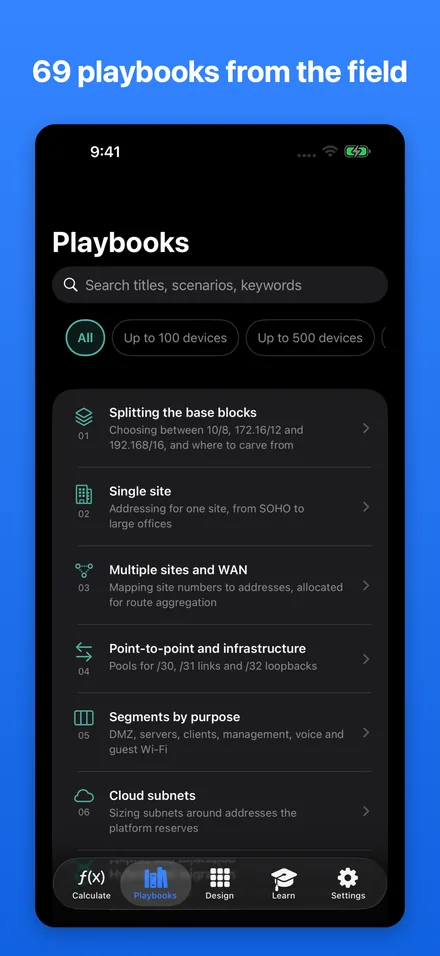
69 IP addressing playbooks.

Single sites, multi-site WANs, cloud, factories and IPv6. Each playbook shows how to allocate addresses for a common situation.

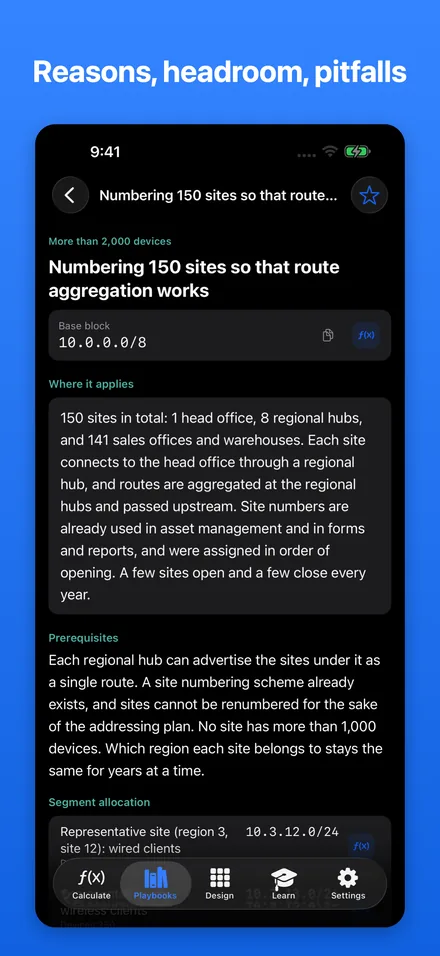
  • Read the scenario, assumptions, allocation table, reasoning, room to grow and pitfalls
  • Search by title, scenario or keyword, and filter by size
  • Open a playbook's addresses straight in the calculator
Playbook list across 9 categories
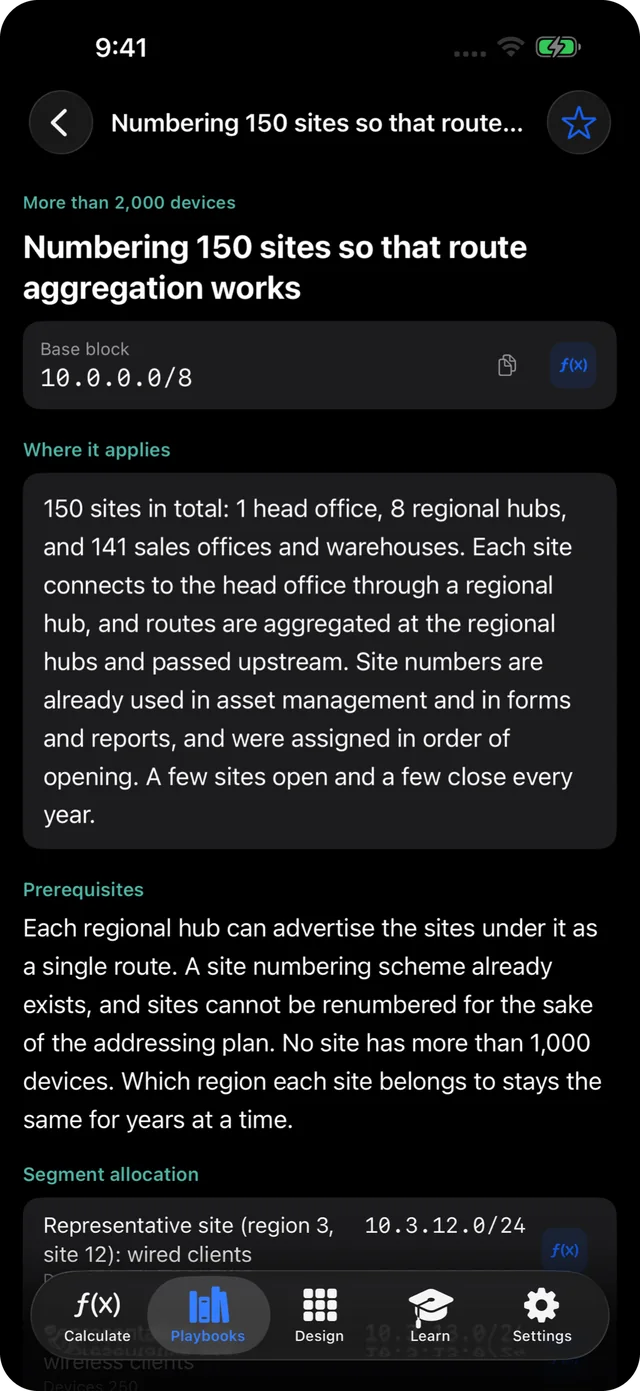
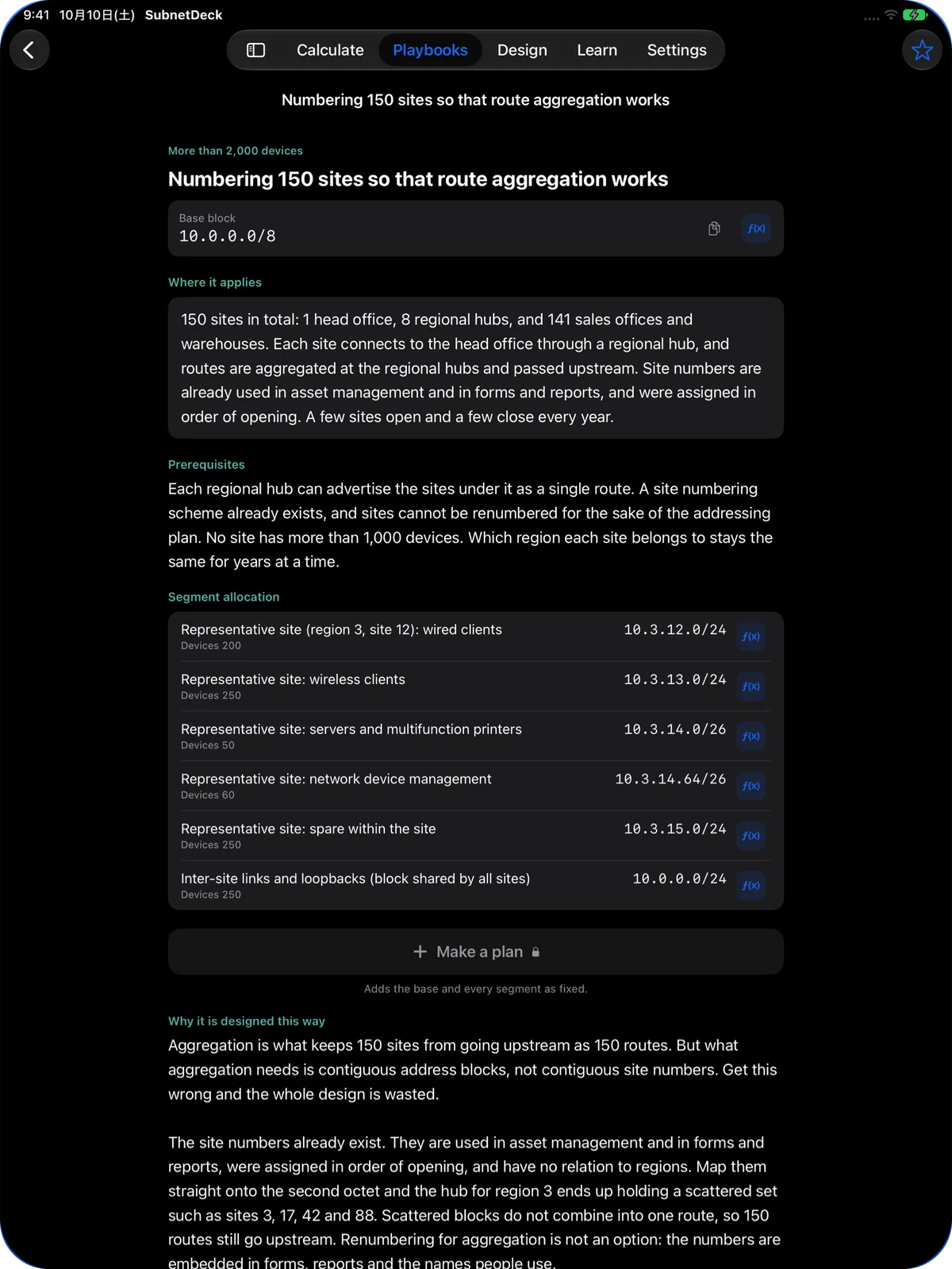
The free playbook on numbering 150 sites so that route aggregation works
Learn · Free

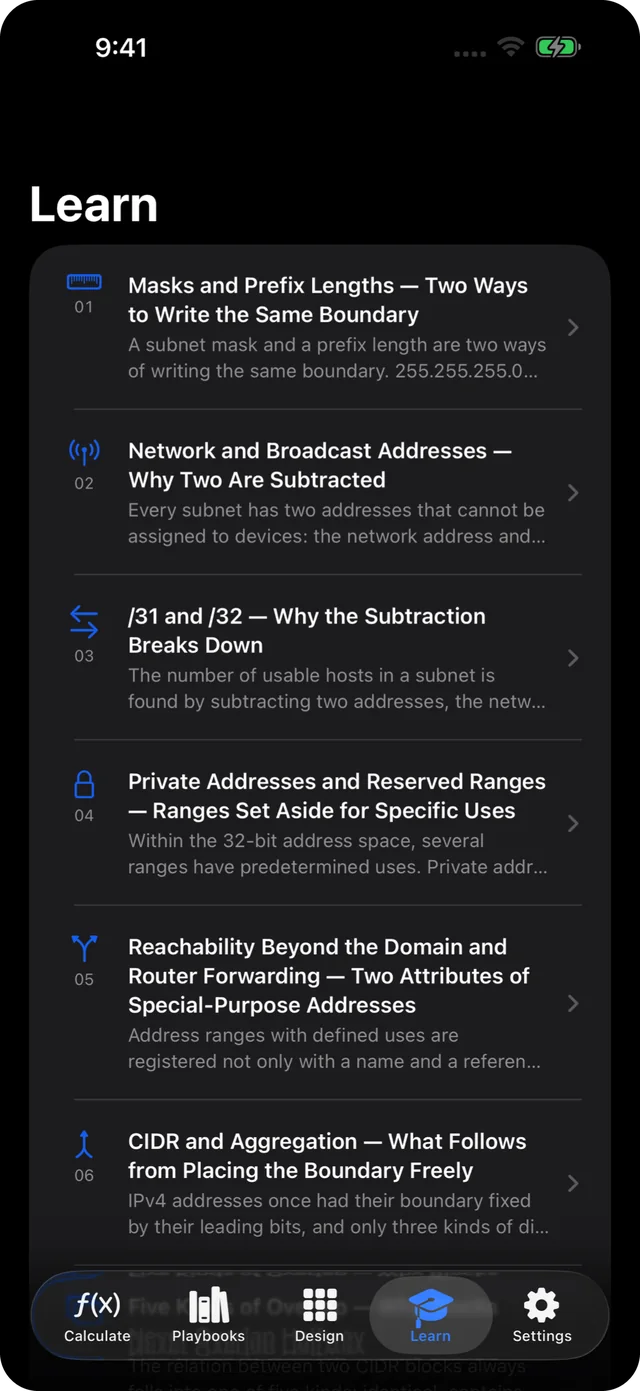
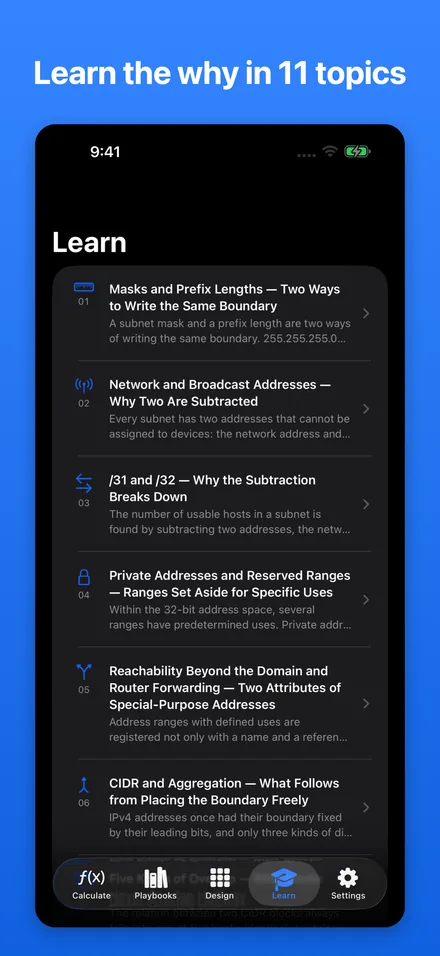
Learn the why in 11 topics.

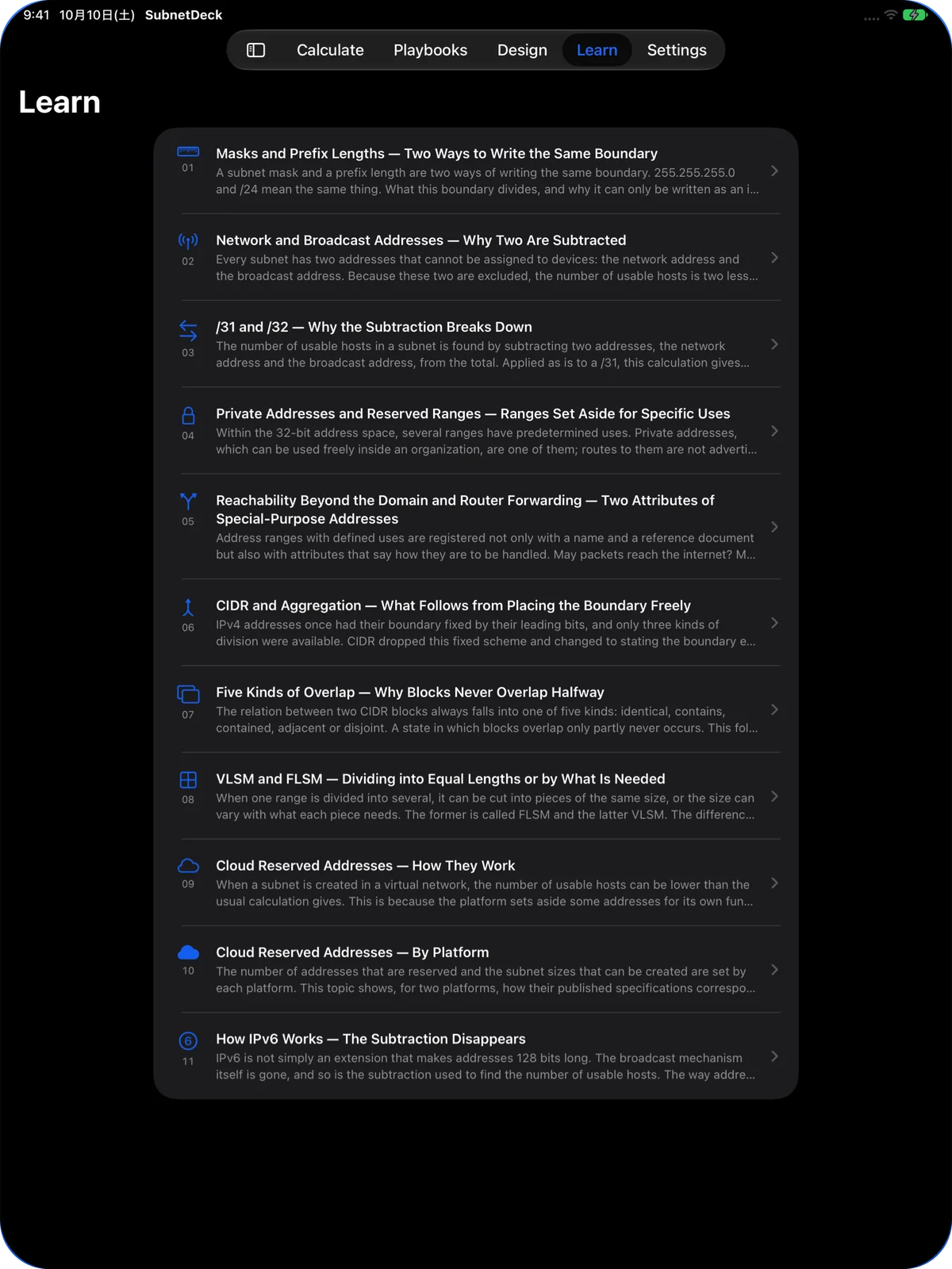
Why the subtraction breaks down at /31, and why blocks can overlap in only five ways. Each topic explains the mechanism so the results make sense.

  • Open a topic's example straight in the calculator
  • Topics and related playbooks link to each other
Learn topics list with 11 titles and summaries
What it shows

Subnet mask, wildcard mask and more from one entry.

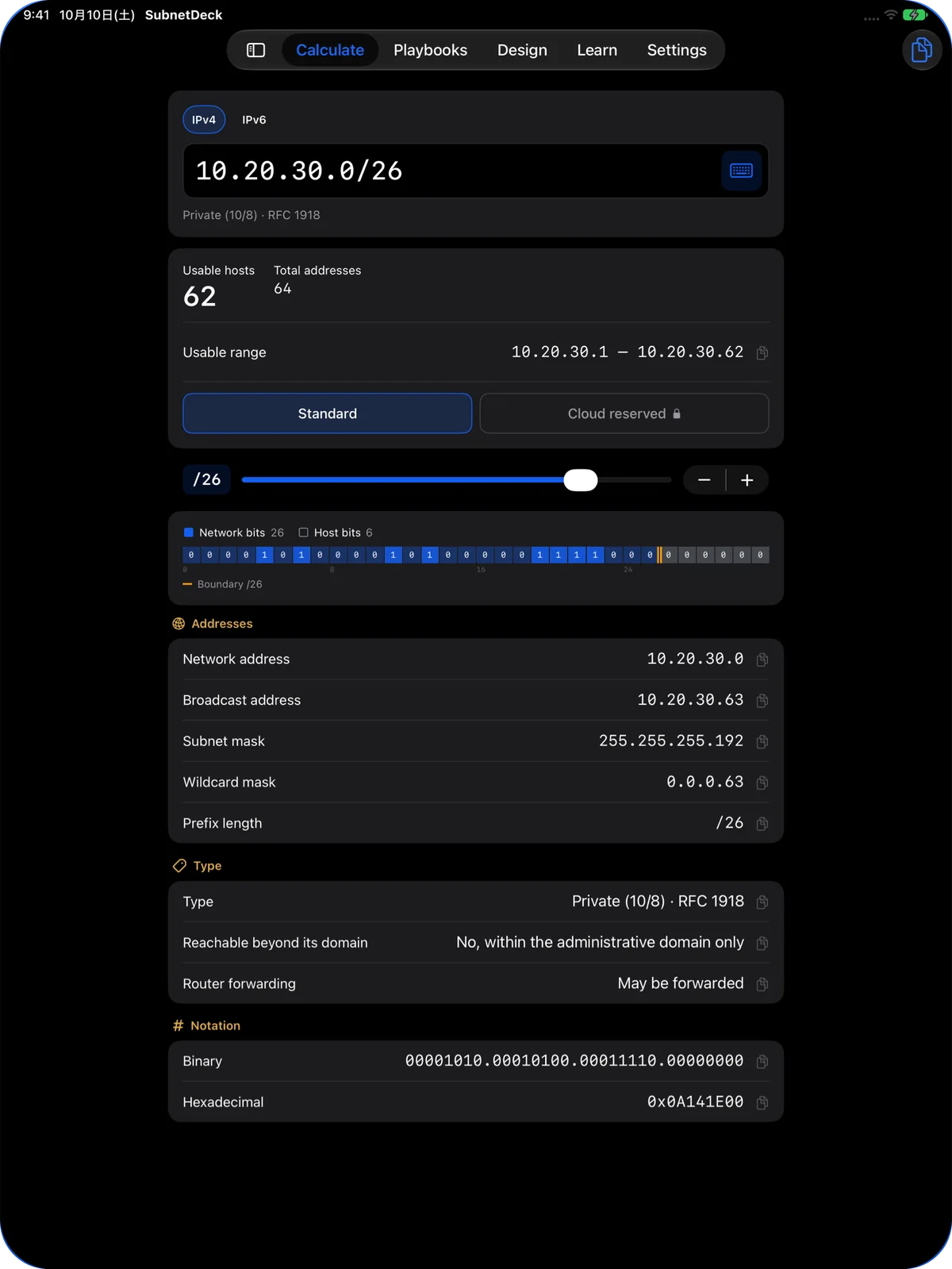
These are the values shown for 10.20.30.0/26. Tap any row to copy it.

10.20.30.0/26Example input (IPv4)
Usable hosts
62
Total addresses
64
Usable range
10.20.30.1 – 10.20.30.62
Network address
10.20.30.0
Broadcast address
10.20.30.63
Subnet mask
255.255.255.192
Wildcard mask
0.0.0.63
Prefix length
/26
Type
Private (10/8) · RFC 1918
Reachable beyond its domain
No, within the administrative domain only
Router forwarding
May be forwarded
Binary
00001010.00010100.00011110.00000000
Hexadecimal
0x0A141E00

And for IPv6.

IPv6 prefixes such as 2001:db8::/64 are calculated on the same screen. Even huge totals like 2^64 are shown exactly.

  • Expanded form
  • Reverse zone (ip6.arpa)
  • Solicited-node multicast
  • Documentation range (RFC 3849)

Cloud reservations, deducted.

Cloud networks reserve some addresses in every subnet. SubnetDeck shows the usable count after those reservations and the range of subnet sizes you can create (Premium).

Three everyday calculations as tools.

FLSM

Equal split

Divide one block into the number of equal-sized subnets you need.

SUMMARIZE

Route aggregation

Summarize several CIDRs, both exactly with nothing extra and as a single covering route.

OVERLAP

Overlap check

Classify pairs as equal, containing, adjacent or disjoint. Up to 50 CIDRs.

Values entered in the tools are not saved. On the free version, you can try the tools with example values.

Playbook library

69 IP addressing playbooks in 9 categories.

Here are the categories and what each covers. The full text is in the app.

  • Splitting the base blocks

    8

    Choosing between 10/8, 172.16/12 and 192.168/16, and where to carve from

  • Single site

    10

    Addressing for one site, from SOHO to large offices

  • Multiple sites and WAN

    8

    Mapping site numbers to addresses, allocated for route aggregation

  • Point-to-point and infrastructure

    6

    Pools for /30, /31 links and /32 loopbacks

  • Segments by purpose

    10

    DMZ, servers, clients, management, voice and guest Wi-Fi

  • Cloud subnets

    8

    Sizing subnets around addresses the platform reserves

  • Hybrid and migration

    8

    Avoiding overlaps, VPN links and renumbering after a merger

  • IoT, OT and factories

    8

    Static addressing on the control side, OT/IT separation and growth

  • IPv6 allocation

    3

    Allocating /64s out of a /48, and growing as demand appears

Free playbooks13

  1. What to base the top-level split of 10/8 on
  2. 192.168/16 is not yours alone
  3. A single-site office of about 100 people
  4. A hot-desking site where attendance is unpredictable
  5. Numbering 150 sites so that route aggregation works
  6. Choosing /30 or /31 for point-to-point links
  7. Share nothing between guest wireless and the corporate network
  8. Decide what belongs in the DMZ and how to split it
  9. Count five fewer addresses in cloud subnets
  10. When working around an overlap with translation, set the deadline at the same time
  11. A manufacturing cell design for replicating identical lines
  12. A boundary zone that separates a plant's IT and control networks
  13. Divide IPv6 by hex digits instead of conserving it

The other 56 can be read in full with Premium.

Learn topics11, all free

  1. Masks and Prefix Lengths — Two Ways to Write the Same Boundary
  2. Network and Broadcast Addresses — Why Two Are Subtracted
  3. /31 and /32 — Why the Subtraction Breaks Down
  4. Private Addresses and Reserved Ranges — Ranges Set Aside for Specific Uses
  5. Reachability Beyond the Domain and Router Forwarding — Two Attributes of Special-Purpose Addresses
  6. CIDR and Aggregation — What Follows from Placing the Boundary Freely
  7. Five Kinds of Overlap — Why Blocks Never Overlap Halfway
  8. VLSM and FLSM — Dividing into Equal Lengths or by What Is Needed
  9. Cloud Reserved Addresses — How They Work
  10. Cloud Reserved Addresses — By Platform
  11. How IPv6 Works — The Subtraction Disappears
iPad

The same four tabs on a bigger screen.

Everything on iPhone works on iPad. The Design tab shows folders and the plan side by side.

Calculate tab on iPad: results for 10.20.30.0/26, including type, binary and hex
Calculate · Free

Every result on one screen.

From usable hosts to address type, binary and hex, everything is visible without scrolling.

Free and Premium

Start free. Unlock once, keep it for good.

Premium is a one-time purchase. There is no subscription.

Free

Right after download

  • The full subnet calculator (IPv4 / IPv6)
  • All 11 Learn topics
  • 13 of the 69 playbooks
  • 4 sample plans you can open and read
  • Tools with example values

Premium

One-time purchase · No subscription

  • All 69 playbooks in full
  • Design tab: plans, folders and export
  • Tools with your own values
  • Usable counts after cloud reservations
  • Export and import all plans, and optional iCloud Backup
Download on the App Store

See the App Store for the price in your region. Purchases and restores are handled by iOS with the App Store.

Privacy

The app never goes online.

SubnetDeck never sends the addresses you enter or your design plans off your device.

No network connections

The app itself makes no network connections. It never sends your results or plans anywhere and collects no usage data.

No ads, no analytics

No advertising, analytics or third-party tracking components.

Plans stay on your device

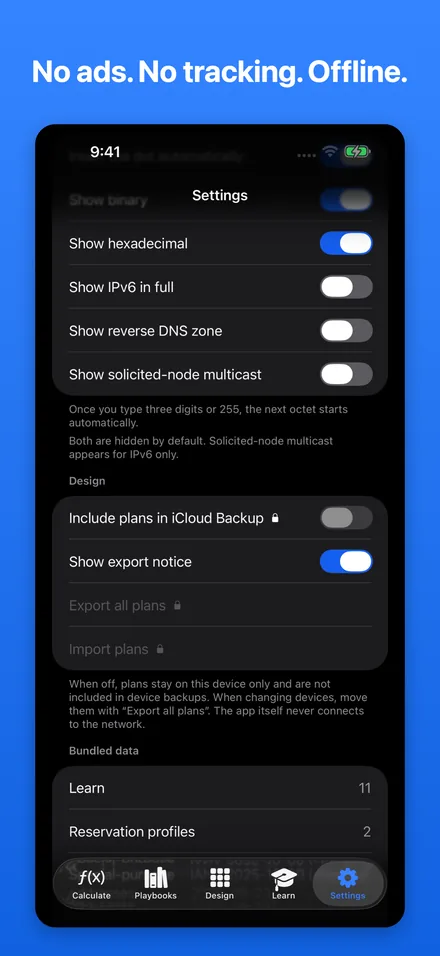
Plans are not synced with iCloud and are excluded from backups by default. You can choose to include them in iCloud Backup in Settings.

Hidden in the app switcher

In Settings, you can hide your calculations and plans from the app switcher preview.

Premium purchases and restores, and device backups including iCloud Backup, are handled by iOS. Links such as the feedback form open in your browser.

Read the privacy policy
Support

Frequently asked questions

Does it work offline?

Yes. Calculate, Design, Playbooks and Learn all run on your device.

A connection is needed only to buy or restore Premium.

Can it calculate IPv6 subnets?

Yes. Enter IPv6 on the hex keypad to see the total addresses, range, expanded form, reverse zone (ip6.arpa) and solicited-node multicast address.

How are /31 and /32 counted?

A /31 counts as 2 usable addresses for point-to-point links (RFC 3021), and a /32 as 1. The Learn topic "/31 and /32" explains why.

Does it really never connect to the internet?

Correct. The app itself makes no network connections. It never sends the addresses you enter or your plans anywhere, and it collects no usage data.

Premium purchases and restores, and device backups including iCloud Backup, are handled by iOS.

Is it a subscription?

No. Premium is a one-time purchase with no subscription. Family Sharing is not supported.

How do I restore my purchase?

Open "Unlock the playbook library" in Settings and tap "Restore purchase".

Sign in to the App Store with the Apple Account you bought it with, and make sure you are online.

How do I move my plans to a new device?

Plans are stored only on the device and are not synced with iCloud. Use "Export all plans" in Settings to save them to a file, then "Import plans" on the new device.

If "Include plans in iCloud Backup" is on, restoring from an iCloud backup also brings them over. Both are Premium features.

Can I use it on a company iPhone?

Yes. The app makes no network connections and collects no data.

Exported files are not encrypted, so follow your organization's rules on where you send and store them.

Which devices and languages are supported?

iPhone and iPad with iOS 18 or later. It also runs on Mac with Apple silicon and on Apple Vision Pro.

The app is available in 9 languages: English, Japanese, Spanish, German, French, Portuguese (Brazil), Chinese (Simplified and Traditional) and Korean.

Can I use the results and playbooks as is in production?

They are provided for reference. Always verify them yourself before applying them to a real network.

Values such as the number of cloud reserved addresses can change when a platform changes. The date the data was checked is shown in Settings.

Keep it on your iPhone for the day you need it.

The calculator and Learn topics are free. Install it now and it's ready when there's no signal.

Download on the App Store

Contact

Report a problem or share feedback on the playbooks and Learn topics using the form.

Open the form